
For leadership consultants and consulting firms
Run 360 assessments for your clients with your own questions, branding, and methodology. Panoramic Feedback brings project setup, participant communications, and reporting into one platform. You lead the consulting engagement; we provide the software and support.
Request a consultant demoExplore platform features
Run projects yourself, or ask us to handle the administration when you need more capacity.
Add 360 feedback to leadership development and coaching engagements without building the software yourself. Keep invitations, response tracking, and reports together, then adapt the assessment for each client.
Bring your questions and competency model, or adapt an editable questionnaire. Set the rating scales and instructions to fit the engagement.
Use your terminology in questions, invitations, reminders, and report text. Supply translated content for multilingual projects. Explore language support.
Run separate engagements for multiple organizations from one platform. Reuse a project setup and adjust it for the next client or group of leaders.
An illustrated conversation about running client 360 projects, from setup and reminders to reports, confidentiality, and support.
This silent video uses on-screen dialogue. The characters and scenarios are illustrative.
Title: This year's 360s.
Maya, HR Director: Leadership wants 360s for all twenty managers this year.
Maya, HR Director: Last time it was spreadsheets, chasing raters, and reports nobody wanted to read.
On screen: An illustrated previous project includes spreadsheets, a draft report, reminders, and overdue managers.
Dev, HR Consultant: I run those for clients all the time. I use Panoramic Feedback.
Maya, HR Director: Isn't setup a project in itself?
On screen: The scene introduces the AI Project Assistant.
Dev, HR Consultant: Not anymore. The AI helps me set up projects and keep them moving, and automatic reminders handle the chasing.
On screen: An example prompt requests a 360 project for twenty managers. The assistant presents a project ready for review with a leadership questionnaire, twenty subjects, and raters assigned by category. An email schedule includes a pre-announcement, invitation, reminder, and final reminder.
Dev, HR Consultant: And the reports are genuinely good.
On screen: A sample individual subject report cover appears.
Dev, HR Consultant: Clean design, clear charts, and sections like Blind Spots that show where a leader sees themselves differently than their team does.
On screen: The Headlines chart compares competency results. The Blind Spots table compares self-ratings with combined evaluator ratings.
Maya, HR Director: Okay, that's a conversation starter.
Dev, HR Consultant: It also summarizes the written comments into key themes, so you're not spending hours reading every response.
On screen: Sample written feedback appears beside an AI summary. Themes include “Trusted, purpose-driven leader,” “Delegate and develop the team,” and “Invite input earlier on new ideas.”
Maya, HR Director: Can I see how the whole leadership team is doing?
On screen: A sample group report summarizes participation and responses by feedback category.
Dev, HR Consultant: Group reports show patterns across everyone.
Dev, HR Consultant: Run it again next year and you can compare year over year to see real progress.
On screen: A chart labeled “Sample data” compares 2025 and 2026 competency ratings: leadership 3.62 to 3.91, communication 3.84 to 4.11, decision making 3.95 to 4.16, inner strength 3.78 to 4.10, and initiative 3.71 to 3.85.
Maya, HR Director: My managers will worry about confidentiality.
On screen: The report scene is labeled “Confidential by design.”
Dev, HR Consultant: Privacy is built in.
Dev, HR Consultant: And for my clients, every report carries my brand.
On screen: The sample report cover changes to the fictional “Dev Consulting” brand.
Maya, HR Director: What if I get stuck?
On screen: An illustrated support chat asks a question about setting up a group report.
Dev, HR Consultant: Honestly, their support is the best I've dealt with.
On screen: The illustrated support reply reads: “Happy to help! Want me to walk you through it on a quick call?” The response is: “Yes please. Thank you!”
Maya, HR Director: Okay. Send me the link.
Closing title: 360° feedback that leaders actually use. Book a demo: panoramicfeedback.com.
White labeling options let you apply your firm’s identity to participant invitations, assessment pages, and reports. Full white labeling can remove Panoramic Feedback branding from those materials. We can show the available options and the participant journey in a consultant demo.
You lead the client relationship, methodology, interpretation, and coaching. We provide the platform and, when requested, project administration under an agreed scope.
Panoramic Feedback does not provide leadership consulting, coaching, or report interpretation to organizations. When an organization requests that expertise, we can introduce an independent partner consultant if a suitable match is available. If a consultant already leads the engagement, we work through the relationship with that firm.
Before launch, agree how feedback groups will appear, who will receive reports, and how confidentiality will be explained to participants. The platform prevents project administrators from linking confidential assessment responses to a named evaluator. Written comments can contain identifying details, so participant guidance matters too. Read about security and confidentiality.
Individual reports bring ratings and written feedback together. Compare self-ratings with feedback from managers, peers, and direct reports, then discuss strengths and development needs with the leader.
Group reports help you see patterns across a cohort. Available comparison options can put a person’s results alongside a group or a previous assessment, where appropriate. Configure report sections, explanatory text, presentation, and language for the engagement.
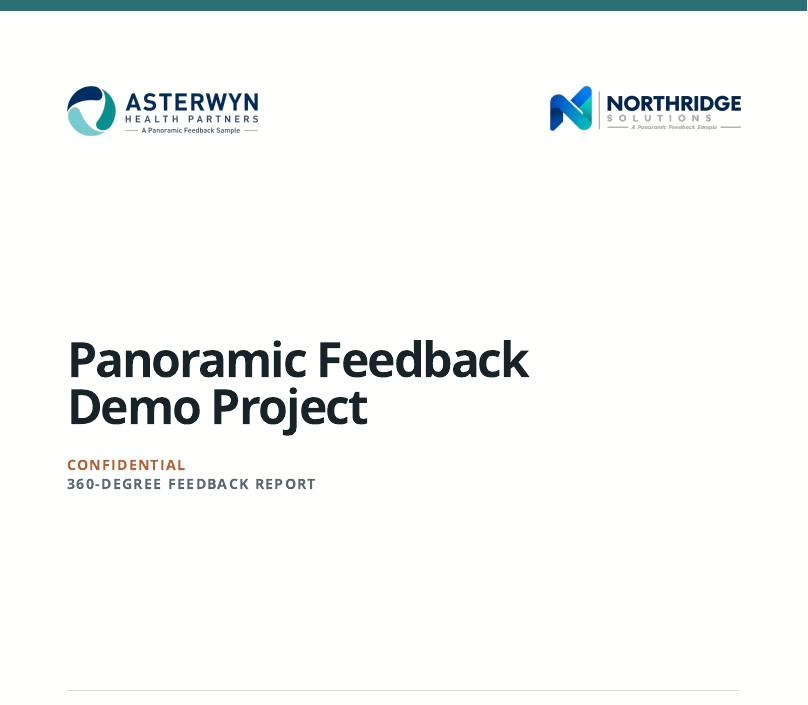

Explore complete sample reports in a demo account
Learn more about individual 360 reports and group reporting.
Configure assessments, send communications, track responses, and generate reports in the platform. Our support team can help you get started and answer questions during an engagement.
We can configure assessments to your specifications, send invitations and reminders, monitor responses, and deliver reports to the agreed recipients. We agree the scope, timing, and communications with you before work begins.
Panoramic Feedback invoices your firm for the agreed services. You decide how to package and price the engagement for your client, and continue to lead the consulting work and debrief. Available white labeling options keep your identity on project materials and reports.
Yes. Bring your own questions and competency model, or adapt an editable questionnaire to fit your methodology and client engagement.
Yes. You can supply translated questions, instructions, invitations, reminders, and report text in the languages your project requires. Choose the terminology that fits your methodology.
White labeling options are available for participant invitations, assessment pages, and reports. Full white labeling can remove Panoramic Feedback branding from those materials. We can show the options in a consultant demo.
Use individual reports for coaching, group reports to review cohort patterns, and available comparisons with a group or a previous 360 assessment. Report sections, text, presentation, and language can be configured for the engagement.
Yes. Manage separate engagements across organizations from one platform and reuse a project structure while adapting it for each client.
No. You can run projects yourself with platform support. Request administration for the engagements where you need help with setup, invitations, reminders, response tracking, or report delivery.
Your firm leads the consulting engagement, methodology, interpretation, and pricing. We agree project communications with you in advance. Panoramic Feedback invoices your firm for the services you purchase; you invoice your client.
No. Panoramic Feedback provides the 360 platform and project administration, not leadership consulting, coaching, or report interpretation. When an organization without an existing consultant asks for that expertise, we can introduce an independent partner consultant if a suitable match is available. The organization and consultant agree the consulting scope directly.
No. When you bring a client to Panoramic Feedback, your firm remains the lead on that relationship. We will not use the engagement or its information to market our platform or administration directly to that client. If your client contacts us about another engagement, we will notify you and refer them back to your firm to discuss their needs and arrange services through you. We will not quote or contract directly for that work. If we already have an independent relationship with the organization, we will disclose it before your project begins and agree on clear boundaries with you.
Our support team can help you get started, answer platform questions, and provide guidance during an engagement.
Tell us how you deliver 360 feedback and what you need for your client projects. We’ll show you the questionnaire, branding, reporting, and administration options that fit your work.